

Windows security threats continue to evolve in 2026. From ransomware to phishing attacks, protecting your PC is more important than ever. While premium antivirus software offers advanced features, many users prefer free antivirus solutions for basic protection. In this guide, we review the best free antivirus software for Windows that delivers reliable security without costing anything. At PC Hippo, we only recommend trusted tools with clean and official download links. Why You Still Need Antivirus on Windows Windows includes built-in protection, but additional antivirus software can enhance security by offering: Advanced malware detectionReal-time protectionWeb and phishing protectionEmail scanningExtra privacy tools Free antivirus programs are suitable for everyday users who need essential protection for browsing, downloads, and email use. 1. Avast Free Antivirus – Best Overall Free Antivirus Avast Free Antivirus is one of the most popular free security tools worldwide. It offers strong real-time protection and a modern user interface. Key FeaturesReal-time malware protectionWeb and email shieldWiFi security scanUser-friendly dashboard Best ForUsers who want strong free protection with extra security tools. 2. AVG AntiVirus Free – Best for Simple Protection AVG provides reliable malware detection with minimal system impact. It is lightweight and easy to use. Key FeaturesReal-time security updatesMalware and spyware protectionEmail scanningSimple interface Best ForUsers who want a clean and straightforward antivirus solution. 3. Avira Free Security – Best Free Security Suite Avira offers more than just antivirus protection. Its free version includes additional privacy tools. Key FeaturesMalware protectionLimited free VPNPassword managerSystem optimization tools Best ForUsers who want extra features beyond basic antivirus. 4. Microsoft Defender – Built-In Windows Protection Microsoft Defender comes pre-installed with Windows and provides baseline protection. Key FeaturesReal-time threat protectionFirewall integrationAutomatic updatesRansomware protection Best ForUsers who prefer built-in security without installing third-party software. Free vs Paid Antivirus: What’s the Difference Free antivirus software covers basic protection needs. However, premium versions usually offer: Advanced ransomware protectionParental controlsFull VPN accessIdentity theft monitoringPriority customer support If you use online banking, handle business data, or need maximum privacy, upgrading to a paid plan may be worth considering. Do Free Antivirus Programs Slow Down Your PC Most modern antivirus tools are optimized for performance. Lightweight solutions like AVG and Microsoft Defender run quietly in the background. However, during full system scans, temporary performance impact is normal. Choosing a reputable antivirus ensures minimal slowdown. How We Evaluate Free Antivirus Software at PC Hippo Our review process focuses on: Malware detection ratesReal-time protection capabilitySystem performance impactEase of installationTransparency and reputation We only list software that meets safety and reliability standards. Final Verdict If you want the most balanced free antivirus, Avast Free Antivirus is a strong choice. For lightweight protection, AVG performs well. If you want additional tools like a VPN and password manager, Avira Free Security offers extra value. For users who prefer built-in protection, Microsoft Defender provides solid baseline security. Always download antivirus software from official sources. PC Hippo provides verified links to ensure safe and clean installation.
Bitdefender vs Norton 360 | Which Antivirus Is Better in 2026
Choosing the right antivirus software is critical for protecting your Windows PC in 2026. Two of the most trusted names in cybersecurity are Bitdefender and Norton 360. Both offer powerful protection, advanced features, and strong reputations. In this comparison guide, we break down security, performance, features, pricing, and overall value to help you decide which antivirus is best for your needs. Security and Malware Protection Bitdefender is known for its advanced malware detection engine. It consistently scores high in independent lab tests for identifying ransomware, spyware, trojans, and zero-day threats. Its multi-layer ransomware protection is especially strong. Norton 360 also provides excellent real-time threat protection. It uses behavioral detection and AI-based threat analysis to block suspicious activity before it can harm your system. Both antivirus programs provide top-tier protection, but Bitdefender often has a slight edge in raw detection performance. System Performance Impact Performance impact is important, especially for gamers and professionals. Bitdefender is lightweight and runs quietly in the background. It includes performance optimization modes for gaming and work sessions. Norton 360 is also optimized, but some users may notice slightly higher system resource usage during full system scans. For lower-end PCs, Bitdefender may feel slightly smoother during heavy tasks. Features Comparison Bitdefender includes: Advanced threat defenseRansomware remediationVPN with limited dataAnti-phishing and anti-fraud protectionMulti-device compatibility Norton 360 includes: Secure VPNDark web monitoringCloud backupPassword managerParental controls If you want more privacy and identity protection tools, Norton 360 offers a more complete all-in-one suite. VPN and Extra Tools Both antivirus solutions include VPN features, but with limitations on lower plans. Norton 360 provides a more integrated security ecosystem, including identity monitoring and cloud backup. Bitdefender focuses heavily on core malware protection and strong security layers. If privacy monitoring is important, Norton 360 may be more attractive. Pricing and Value Bitdefender generally offers competitive pricing with flexible plans for individuals and families. Norton 360 can be slightly more expensive depending on the package, but it includes more bundled services like cloud backup and identity protection. For pure antivirus value, Bitdefender is often more cost-effective. For a full security suite, Norton 360 may justify the higher price. Ease of Use Both programs offer clean and modern interfaces. Bitdefender provides a simple dashboard with quick access to protection tools. Norton 360 uses a structured layout that separates security, identity, and performance tools clearly. Both are beginner-friendly and easy to install. Final Verdict If your main priority is maximum malware detection and lightweight performance, Bitdefender is an excellent choice. If you want a complete security package with identity monitoring, cloud backup, and additional privacy tools, Norton 360 offers more features in one suite. Both are strong antivirus solutions in 2026. The best choice depends on whether you value pure protection or a full security ecosystem. For safe and clean downloads, always use official sources. At PC Hippo, we provide verified links and expert reviews to help you choose securely.

Best PC Cleaner Software for Windows in 2026
Over time, every Windows PC becomes slower. Temporary files, leftover registry entries, startup programs, and system clutter can reduce performance. A reliable PC cleaner helps remove junk files, optimize performance, and improve system stability. In this guide, we tested and reviewed the best PC cleaner software for Windows in 2026. At PC Hippo, we only recommend trusted tools with clean and official download links. Why You Need a PC Cleaner When you install and uninstall programs, your system collects unnecessary files. These files can: Slow down startup timeReduce available disk spaceCause system errorsImpact overall performance A PC cleaner helps maintain system health by removing unwanted files and optimizing system processes. 1. CCleaner – Best Overall PC Cleaner CCleaner remains one of the most popular system optimization tools for Windows users. Key FeaturesRemoves temporary and junk filesCleans browser cacheStartup managerRegistry cleaner Best ForUsers who want a simple and effective all-in-one cleaner. 2. Advanced SystemCare – Best for Deep Optimization Advanced SystemCare offers deeper system cleaning and performance tuning features. Key FeaturesAI-powered cleaningReal-time system monitoringPrivacy protection toolsStartup optimization Best ForUsers who want automated optimization with advanced features. 3. Wise Disk Cleaner – Best Lightweight Cleaner Wise Disk Cleaner is a lightweight and fast cleaning tool that focuses on disk cleanup. Key FeaturesQuick scanningLow system impactScheduled cleaningDisk defragmentation tool Best ForUsers with low-end PCs who need a lightweight solution. 4. Glary Utilities – Best Free Utility Suite Glary Utilities provides multiple maintenance tools in one package. Key FeaturesDisk cleanupRegistry repairStartup managerPrivacy cleaner Best ForUsers who want a free utility toolkit. Free vs Paid PC Cleaner Software Free PC cleaners are suitable for basic cleanup tasks. However, paid versions often include: Real-time monitoringAutomatic scheduled cleaningAdvanced optimizationTechnical support If you use your PC for work or gaming, investing in a premium version may provide better long-term performance. Do PC Cleaners Really Improve Performance Yes, but results depend on your system condition. If your PC has excessive junk files and too many startup programs, a cleaner can significantly improve boot speed and responsiveness. However, PC cleaners cannot fix hardware limitations. If your PC has very low RAM or an old hard drive, hardware upgrades may also be necessary. How We Test PC Cleaner Software at PC Hippo Our evaluation process includes: Cleaning efficiencySystem performance impactEase of useSafety and transparencyValue for money We only list tools that are safe, reputable, and officially distributed. Final Verdict If you want a balanced and reliable solution, CCleaner is a strong choice. For deeper system optimization, Advanced SystemCare offers more advanced tools. Users with older PCs may prefer Wise Disk Cleaner for its lightweight performance. Always download PC cleaner software from official sources. PC Hippo provides direct and clean links to ensure safe installation.

How to Download Windows Software Safely in 2026
Downloading software for Windows seems simple, but it can quickly become risky if you choose the wrong source. Fake download buttons, bundled installers, and malware-infected files are common problems in 2026. This guide explains how to safely download Windows software, avoid viruses, and protect your system. At PC Hippo, our mission is to provide clean, direct, and verified download links without ads or hidden installers. Why Unsafe Downloads Are Dangerous Many third-party websites modify original software installers. They add: AdwareBrowser hijackersUnwanted extensionsHidden crypto minersMalware and spyware Even a single unsafe download can compromise your personal data, passwords, and system performance. Always Download from Official Sources The safest way to download Windows software is directly from the developer’s official website. Official sources ensure: Authentic installation filesLatest version updatesNo modified codeSecure HTTPS connections At PC Hippo, we provide direct links that point only to official developer pages. Avoid Fake Download Buttons Many websites display multiple “Download” buttons. Some are advertisements designed to trick users. To stay safe: Scroll carefully before clickingAvoid flashy bannersCheck the URL before downloadingNever click pop-up download prompts Always verify that the link leads to the real software provider. Check for HTTPS and Secure Connection Before downloading any file, check if the website uses HTTPS. A secure connection ensures encrypted data transfer between your browser and the server. If the website shows security warnings, do not proceed with the download. Scan Files Before Installation Even when downloading from trusted sources, it is good practice to scan the file using antivirus software. You can use security tools like: BitdefenderMalwarebytes Scanning files before installation adds an extra layer of protection. Avoid Bundled Installers Bundled installers are modified setup files that install additional unwanted programs along with your intended software. To avoid this: Choose “Custom Installation” instead of “Express”Uncheck optional offersRead each installation step carefully Clean installers will not force additional software. Keep Windows Updated Microsoft regularly releases security patches for Windows. Keeping your system updated reduces vulnerabilities that malware can exploit. Enable automatic updates to ensure your PC remains protected. Use a Trusted Software Directory A trusted software directory saves time and reduces risk. Instead of searching randomly, use a curated platform that provides: Expert reviewsMalware-scanned downloadsDirect official linksClear version information PC Hippo focuses on safe, ad-free software discovery for Windows users. Warning Signs of Unsafe Software Be cautious if you notice: Too many ads on the pageForced redirectsFile size that looks suspiciousUnknown publisher nameNegative security warnings If something feels suspicious, do not download the file. Final Thoughts Safe software downloads are essential for protecting your Windows PC in 2026. Always choose official sources, verify links, scan files, and avoid bundled installers. Using a trusted platform like PC Hippo makes the process simple, transparent, and secure. Stay safe, download smart, and protect your system.
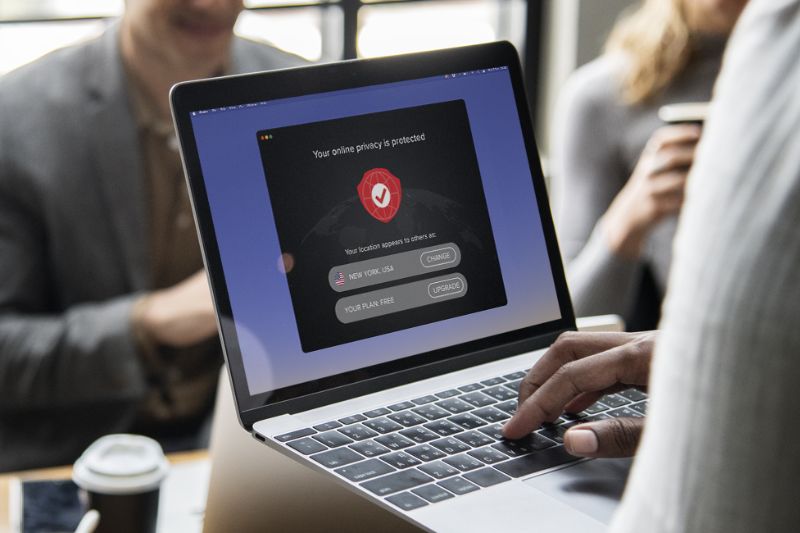
Top 10 Free VPNs for Windows in 2026
Online privacy is becoming more important every year. Whether you are browsing, streaming, or working remotely, a reliable VPN protects your data and hides your IP address. In this guide, we tested and reviewed the best free VPNs for Windows in 2026 to help you stay secure without spending money. At PC Hippo, we only recommend trusted VPN providers and link directly to their official websites for safe downloads. What Is a VPN and Why Do You Need It A VPN, or Virtual Private Network, encrypts your internet connection and hides your real IP address. This helps protect your personal information from hackers, trackers, and even your internet service provider. Key benefits of using a VPN include: Improved online privacySecure public WiFi browsingAccess to geo-restricted contentProtection against tracking If you use public WiFi or want better privacy while browsing, a VPN is highly recommended. 1. Proton VPN – Best Free Unlimited Data VPN Proton VPN offers one of the best free plans available. Unlike many competitors, it provides unlimited data on its free tier. Key FeaturesUnlimited bandwidthStrong encryptionNo logs policyUser-friendly Windows app Best ForUsers who want a completely free VPN without data limits. 2. Windscribe – Best for Extra Free Features Windscribe provides 10GB of free monthly data and includes built-in ad and tracker blocking. Key Features10GB free data per monthFirewall featureMultiple server locationsAd and tracker blocker Best ForUsers who want more control and privacy features in a free VPN. 3. TunnelBear – Best for Beginners TunnelBear has a simple interface that makes it perfect for new VPN users. Key FeaturesEasy setupStrong encryptionFree plan with limited dataClean and modern interface Best ForBeginners who want a simple and easy-to-use VPN. 4. Hide.me – Best for Security Hide.me offers strong privacy protection with a solid free plan. Key FeaturesNo logs policyDecent speedFree monthly dataSecure encryption Best ForUsers focused on privacy and security. 5. Hotspot Shield – Best for Fast Speeds Hotspot Shield provides good speed performance on its free version. Key FeaturesFast connectionEasy installationBasic encryptionFree limited plan Best ForUsers who prioritize browsing speed. Free vs Paid VPN: What Is the Difference Free VPNs are good for basic browsing and light use. However, they often have data limits, fewer server locations, and slower speeds compared to paid plans. Paid VPNs offer: Unlimited dataMore global serversBetter streaming accessAdvanced security features If you stream frequently or need VPN for business use, a premium plan may be a better choice. How We Test Free VPNs at PC Hippo We evaluate VPN software based on: Security and encryption strengthPrivacy policySpeed performanceEase of useData limits We only recommend VPNs that meet minimum safety and transparency standards. Final Verdict If you want unlimited free data, Proton VPN is the best choice. For extra privacy tools, Windscribe is a strong option. Beginners may prefer TunnelBear for its simplicity. For maximum speed, better streaming, and stronger privacy features, upgrading to a premium VPN plan is recommended. Always download VPN software from official sources. At PC Hippo, we provide verified links for safe and secure access.